
Create a Room and Invite Friends to Play on Vietcotuong.com
Guide to creating a private Xiangqi room and sharing an invite link with friends on Vietcotuong.com — no account required for the invitee.
Vietcotuong.com features a wonderful and frictionless way to play Xiangqi (Chinese Chess) with friends: Create a custom room and invite anyone via a direct link!
Best of all: The host just needs to log in, while the invitee can be anyone (including guests) — no registration or account required when creating a Private room!
Step-by-step Guide:
Step 1: Go to https://play.vietcotuong.com.
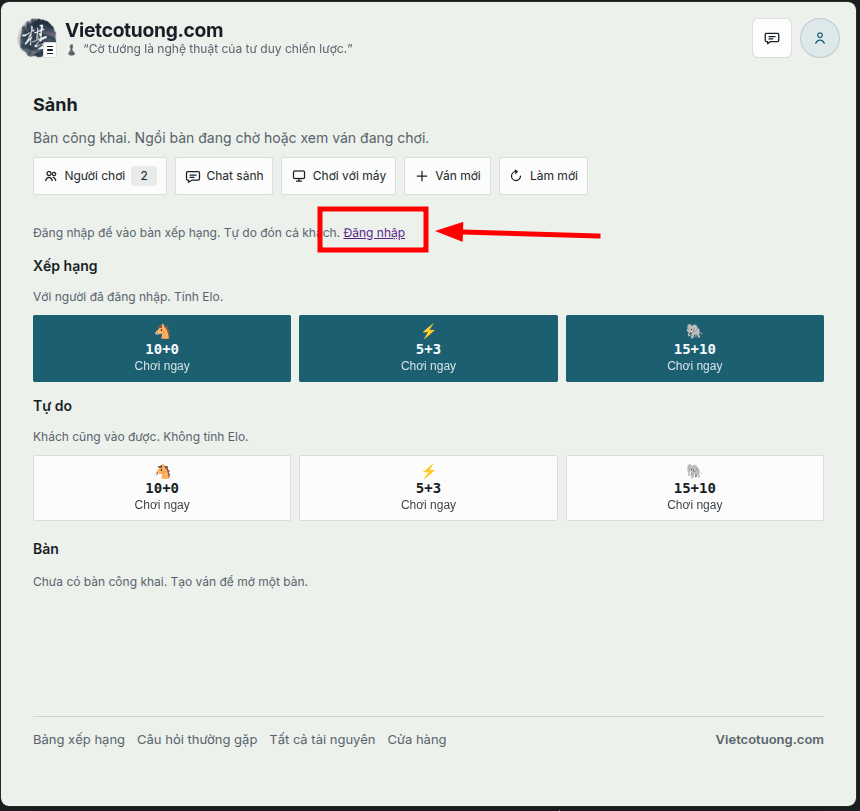
Step 2: Click "Đăng nhập" (Log in) to sign in to your account.
Step 3: From the main lobby, choose one of two ways to start:
- Option 1 (Custom Game Room): Click "Ván mới" (New Game) ➔ Proceed to Step 4 and Step 5 below to configure your room and copy the invite link.
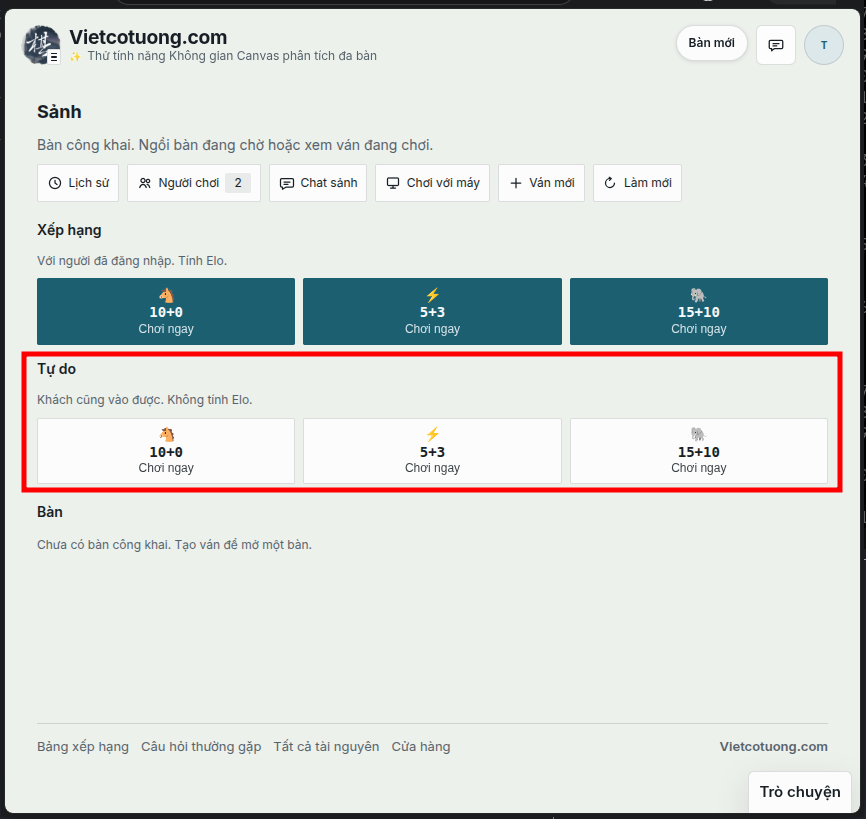
- Option 2 (Instant One-Click Start): Click directly on any of the 3 presets under the "Tự do" (Casual / Open) section (
10+0,5+3, or15+10) ➔ You are all done! The game room is created immediately (guests can join, no Elo rating impact), ready for you to play right away without extra setup.
Step 4 (For Option 1): Configure your game room:
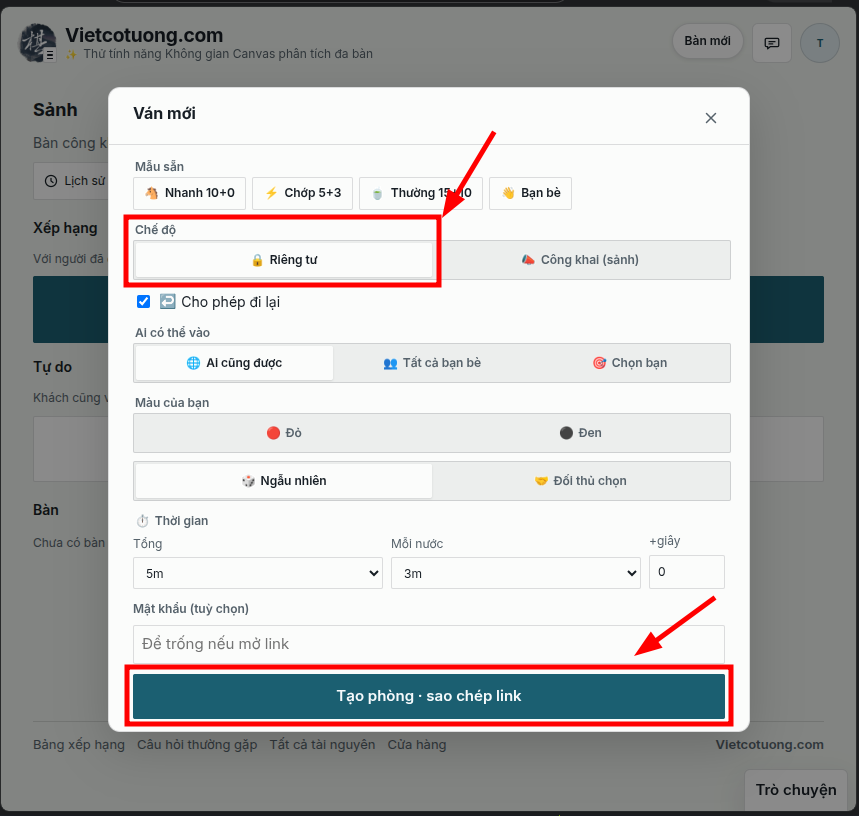
- Important note: Ensure the mode is set to 🔒 Riêng tư (Private) (with access set to "Anyone").
- Click the button at the bottom: "Tạo phòng · sao chép link" (Create Room & Copy Link). The system will create the game room and immediately copy the invitation link to your clipboard.
Step 5 (For Option 1): Send the copied link to your friend via your favorite chat app.
- Your friend simply opens the link and jumps right into the match without needing an account!
Enjoy your game! ♟️🔥
Comments (0)
Sign in to comment: